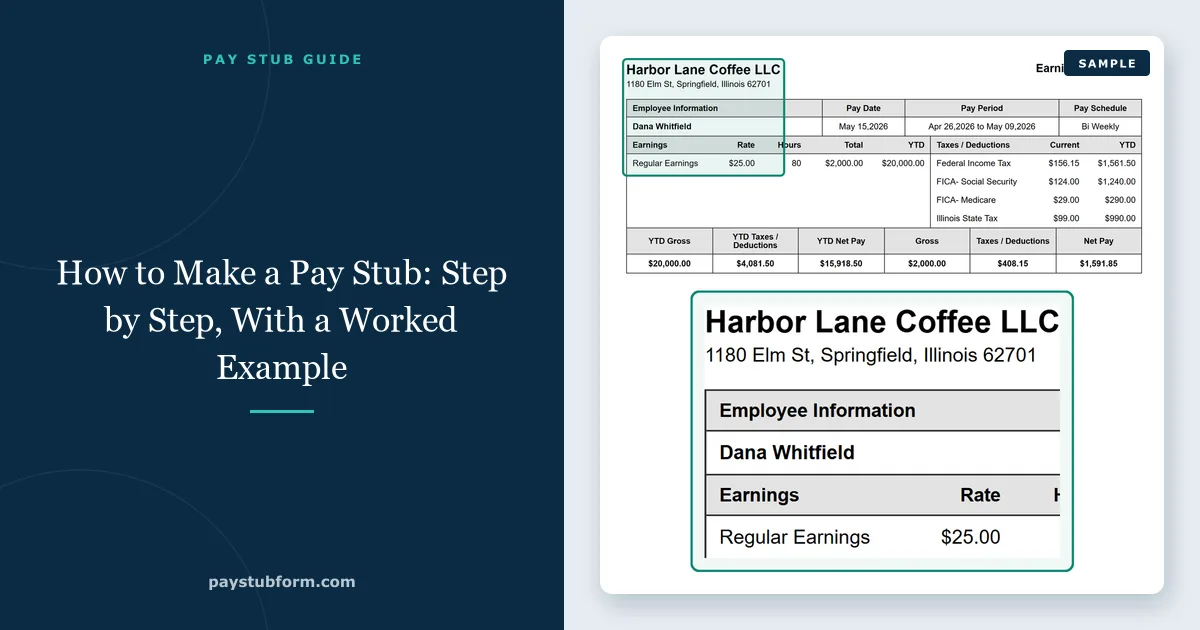
To make a pay stub, you work out gross pay for the period, subtract taxes and deductions to reach net pay, and lay the result out with the employer, employee, pay period and year-to-date totals on one page. You can do the math by hand in a spreadsheet, let payroll software do it, or enter the pay details in a pay stub generator that applies the federal and state tax tables for you.
Below is the whole process with a real example — an hourly employee in Illinois — so you can check every number, whichever way you choose to make it.
Quick take: Gather the employer, employee and W-4 details; calculate gross pay; take out pre-tax deductions; withhold federal income tax using IRS Publication 15-T, Social Security at 6.2% and Medicare at 1.45%; withhold state and local tax; take out after-tax deductions; and add the result to the year-to-date totals. Net pay on the stub must equal what actually reached the bank account.
1. What a pay stub has to show
Federal law does not require pay stubs — the Department of Labor says so plainly — but most states do, and each state sets its own list of required lines. Our pay stub requirements by state show yours. A stub that covers the usual state lists has these parts:
| Section | What goes in it | Where the figure comes from |
|---|---|---|
| Employer | Business name and address; many stubs add the EIN | Company records |
| Employee | Name, address, last four digits of the SSN or an employee ID | Hiring paperwork |
| Dates | Pay period start and end, pay date | Your payroll schedule |
| Earnings | Hours and rate (or salary), overtime, bonuses, gross pay | Timesheets or the salary agreement |
| Taxes | Federal income tax, Social Security, Medicare, state and local tax | Form W-4, state form, tax tables |
| Deductions | Retirement, insurance, garnishments and other withholdings | Benefit elections and court orders |
| Net pay | Gross pay minus everything withheld | The calculation — must match the deposit |
| Year to date | Running totals for each line since January 1 | Previous stubs plus this one |
Our annotated pay stub example shows each of these sections on a finished stub, and the abbreviations guide decodes labels like FIT, OASDI and SIT.
2. Three ways to make one
| Pay stub generator | Payroll software | Spreadsheet or Word template | |
|---|---|---|---|
| Tax math | Done for you, federal and state | Done for you, federal and state | You do it by hand |
| Cost | Per stub | Monthly subscription, usually per employee | Free |
| Also files and pays the taxes | No | Usually yes | No |
| Best for | Occasional stubs, replacements, the self-employed, a household employer | A business running payroll every period | Simple cases where you are confident with Publication 15-T |
Whichever you pick, the arithmetic underneath is the same. Knowing it is what lets you spot a wrong number before someone else does.
3. Step by step, with a worked example
The example: an hourly employee in Illinois paid $25.00 an hour, every two weeks, who worked 80 regular hours and 4 overtime hours this period. Single, 2020-or-later Form W-4 with no adjustments, no IL-W-4 allowances, no benefit deductions. This is the tenth paycheck of the year. The figures are what our pay stub engine returns with the 2026 tax tables.
Step 1: Gather the information
- Employer: legal name, address, and the EIN if the business has one — the IRS issues it free through its EIN application.
- Employee: name, address, Form W-4 and the state withholding form.
- The period: start date, end date, pay date, and how often pay is issued.
- The pay: hourly rate and hours from the timesheet, or the annual salary.
- Deductions: retirement contributions, insurance premiums, garnishments.
- Year to date: the totals from the last stub, or every earlier stub this year.
Step 2: Gross pay
Regular pay is hours times rate: 80 × $25.00 = $2,000.00. Overtime under federal law is at least one and a half times the regular rate for hours over 40 in a workweek, so 4 hours × $37.50 = $150.00. Gross pay is $2,150.00. For a salaried employee, divide the annual salary by the number of pay periods — 26 for every two weeks, 24 for twice a month, 52 for weekly. Our overtime calculator handles the time-and-a-half math.
Step 3: Pre-tax deductions
None in this example, but they matter for every step that follows. A traditional 401(k) contribution lowers the wages subject to federal income tax but not Social Security and Medicare. Health insurance premiums paid through a cafeteria plan generally lower both. Take these out before you calculate the taxes they affect. Our guide to pre-tax and post-tax deductions lists which is which.
Step 4: Federal income tax
Federal withholding comes from IRS Publication 15-T, using the filing status and adjustments on the employee's W-4. The percentage method annualizes the pay, subtracts an amount that stands in for the standard deduction, applies the bracket rates and divides back down to one period. For our employee it comes to $174.15. This is the step people most often get wrong by hand — a generator or payroll software applies the current tables for you, and our paycheck calculator lets you check a figure before you use it.
Step 5: Social Security and Medicare
Social Security is 6.2% of gross wages: $2,150.00 × 6.2% = $133.30. It stops for the year once wages reach the wage base, $184,500 in 2026. Medicare is 1.45% with no cap: $2,150.00 × 1.45% = $31.17. Employers also withhold an extra 0.9% Additional Medicare Tax on wages above $200,000. Together these are called FICA; our FICA guide has the details.
Step 6: State and local tax
Illinois withholds a flat 4.95%: $2,150.00 × 4.95% = $106.43. Other states use brackets, nine have no wage income tax, and some add disability or paid-leave premiums, or a city or county tax. Each state's withholding tables are published by its revenue department.
Step 7: After-tax deductions and net pay
Roth 401(k) contributions, garnishments and union dues come out after tax. With none here, net pay is gross pay minus the four taxes: $2,150.00 − $174.15 − $133.30 − $31.17 − $106.43 = $1,704.95.
Step 8: Year-to-date totals
Add this period to the previous year-to-date figures for every line. This is the tenth identical paycheck, so each YTD figure is ten times the current one. If pay varied, add the actual figures from each earlier stub — our YTD guide explains how.
The finished stub
| Line | This period | Year to date |
|---|---|---|
| Regular pay (80 h × $25.00) | $2,000.00 | $20,000.00 |
| Overtime (4 h × $37.50) | $150.00 | $1,500.00 |
| Gross pay | $2,150.00 | $21,500.00 |
| Federal income tax | $174.15 | $1,741.50 |
| Social Security | $133.30 | $1,333.00 |
| Medicare | $31.17 | $311.70 |
| Illinois income tax | $106.43 | $1,064.30 |
| Net pay | $1,704.95 | $17,049.50 |
Check it the way a reviewer would: gross minus every deduction equals net, each YTD figure is consistent with the pay frequency and the date, and Social Security is exactly 6.2% of gross.
4. Making it in a pay stub generator
In our pay stub generator the same stub takes a few minutes, because steps 4 to 8 happen as you type:
- Company details: name, address, phone and EIN; add a logo if you have one.
- Employee details: name, address and the last four digits of the SSN.
- Pay: hourly or salary, how often the employee is paid, the rate and hours, overtime hours, and the pay date. Choose how many pay dates you need — they are dated backwards from the pay date at the frequency you picked — and enter how many times the employee has already been paid this year, so the year-to-date column is filled in.
- Withholding: the state, the federal filing status and the W-4 entries, and the state filing status.
- Extras: any additions or deductions, paid time off balances, a direct deposit slip.
- Preview, then download the PDF.
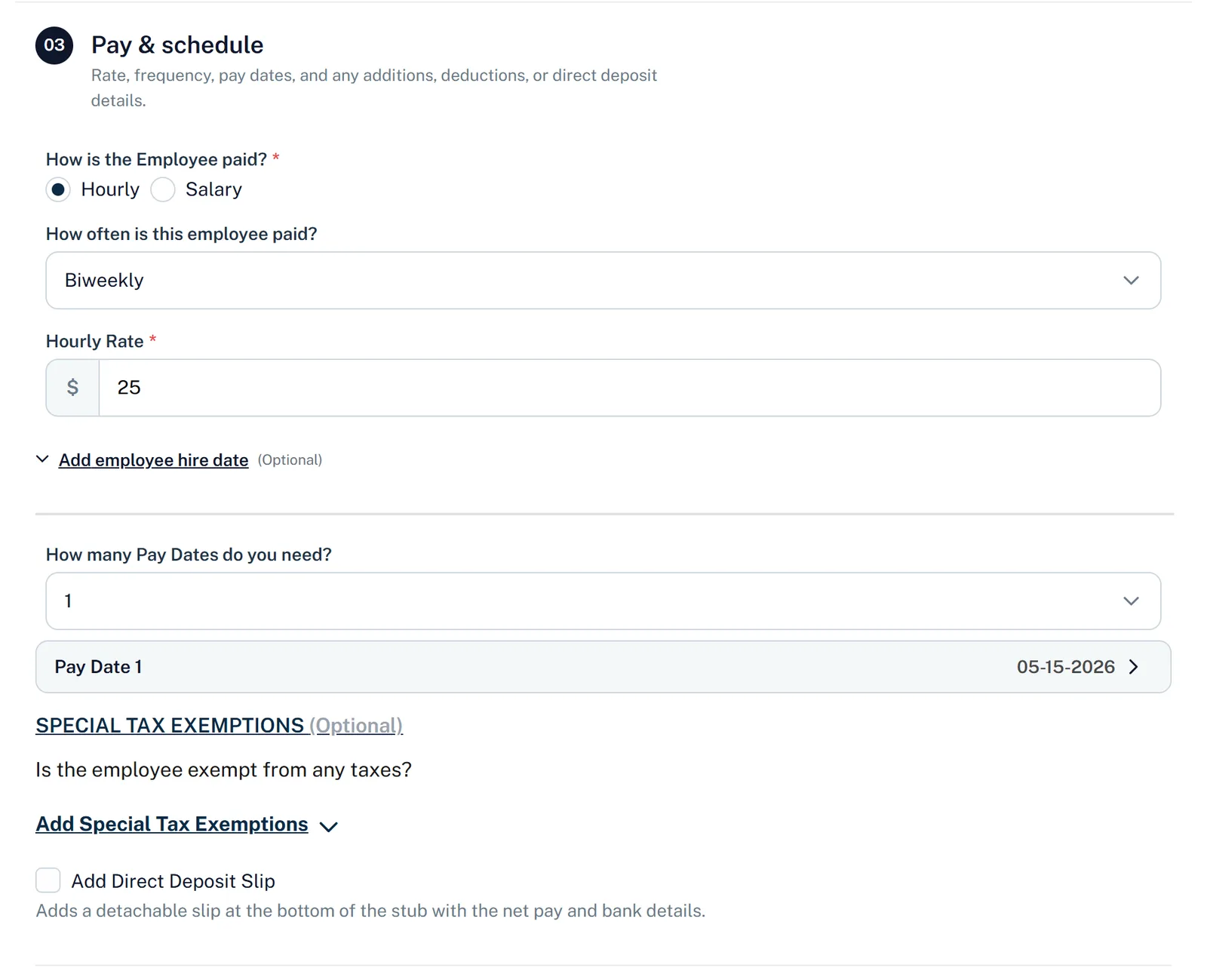
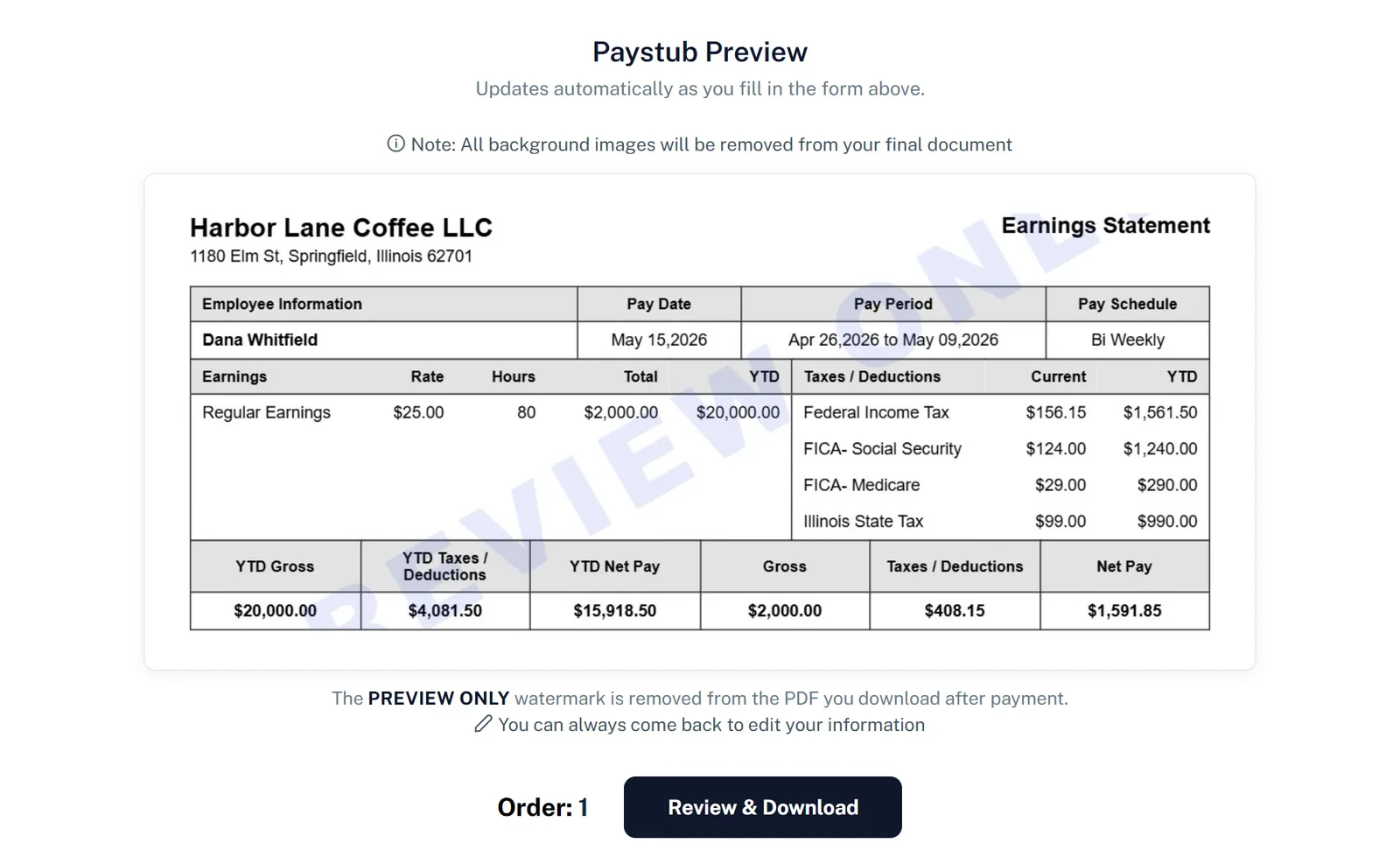
The first pay stub is free. If you want to choose a layout first, the template gallery shows every design.
5. Making it in Excel or Word
A template is fine when the pay is simple and you are comfortable doing steps 4 to 6 yourself. We publish free blank templates for Excel, Word and PDF. Three habits keep a hand-made stub accurate:
- Work out federal withholding from the current year's Publication 15-T, not last year's — the tables change every January.
- Use formulas, not typed totals, so net pay and YTD always follow from the lines above them.
- Keep a copy of every stub, because the next one's YTD figures depend on it.
6. If you are self-employed
A self-employed person has no employer withholding anything, so the stub is different. It records the owner's draw — a fixed amount you transfer from your business account to yourself on fixed dates — usually with no taxes withheld, because you pay income and self-employment tax through quarterly estimates instead. The amounts must match your bank deposits and, later, your Schedule C. Our guide to self-employed pay stubs walks through it, and pay stubs for 1099 contractors covers freelancers paid on invoices.
7. Mistakes that get a pay stub questioned
- Net pay that does not match the deposit. A landlord or lender will compare the two.
- YTD totals that do not add up — for example, a March stub showing ten biweekly paychecks.
- Social Security that is not exactly 6.2% of gross, or Medicare that is not 1.45%.
- A state tax line for a state with no income tax, or a missing one where it is required.
- Last year's tax tables used on a stub dated this year.
- Missing employer details, which makes the stub impossible to verify.
Our list of pay stub mistakes to avoid covers these in more depth.
8. The line you must not cross
Making a pay stub to record pay that really happened is ordinary payroll work: employers do it for every paycheck, and the self-employed do it to document their own income. Making one that shows pay you did not receive, an employer who did not pay you, or tax that nobody withheld is a false document, and using it to get a lease, a loan or benefits can be fraud. If you are an employee, your stub has to come from your employer — ask them for it, and see our guide to pay stubs as proof of income for what else reviewers accept. Our editorial standards explain how we approach this.
The five-minute version
- Collect the employer, employee, W-4 and pay period details.
- Gross pay = hours × rate plus overtime at 1.5×, or salary ÷ pay periods.
- Take out pre-tax deductions where they apply.
- Withhold federal tax from Publication 15-T, 6.2% Social Security and 1.45% Medicare.
- Withhold state and local tax, then after-tax deductions.
- Check that net pay matches the deposit and the YTD totals add up.
Quick answers
Is it legal to make your own pay stub?
Yes, when it records real pay: employers make stubs for their employees, and self-employed people make them for their own draws. It is illegal to make one that shows income you did not earn or an employer who did not pay you.
Can I make a pay stub for free?
Yes. A blank Excel or Word template is free if you do the tax math yourself, and our generator makes your first stub free with the taxes calculated.
What information do I need to make a pay stub?
The employer's name and address, the employee's name and address, the pay period and pay date, the rate and hours or the salary, the W-4 details, any deductions, and the year-to-date totals from earlier stubs.
Do employers have to give pay stubs?
Not under federal law, but most states require a written or electronic pay statement each payday, and the required lines vary by state.
How do I calculate federal tax for a pay stub?
Use the percentage method or wage bracket tables in IRS Publication 15-T for the current year, with the filing status and adjustments from the employee's Form W-4. A generator or payroll software applies the tables automatically.
How do I make pay stubs for previous months?
Make them in date order, starting with the earliest, so each stub's YTD totals build on the one before. In our generator, choose how many pay dates you need and they are dated backwards from the latest one at the pay frequency you picked.
Sources
- U.S. Department of Labor — Questions and answers about the FLSA: the FLSA requires payroll records but not pay stubs.
- U.S. Department of Labor — Fact Sheet #21, Recordkeeping Requirements under the FLSA: the hours and pay records employers must keep.
- IRS Publication 15-T — Federal Income Tax Withholding Methods: the percentage method and wage bracket tables.
- IRS Publication 15 (Circular E) — Employer's Tax Guide: Social Security and Medicare rates, the wage base and Additional Medicare Tax.
- IRS — Get an employer identification number: the free EIN application.
- IRS — Self-employment tax: how the self-employed pay Social Security and Medicare.
General U.S. information, current for 2026. This is not legal or tax advice; pay statement rules vary by state, and withholding depends on each employee's forms.


Comments (0)
Loading comments...
Leave a Comment