Blank Pay Stub Template (Fillable PDF)
A free, blank pay stub template as a fillable PDF — type into the boxes in your browser or PDF reader, or print it and fill it in by hand.
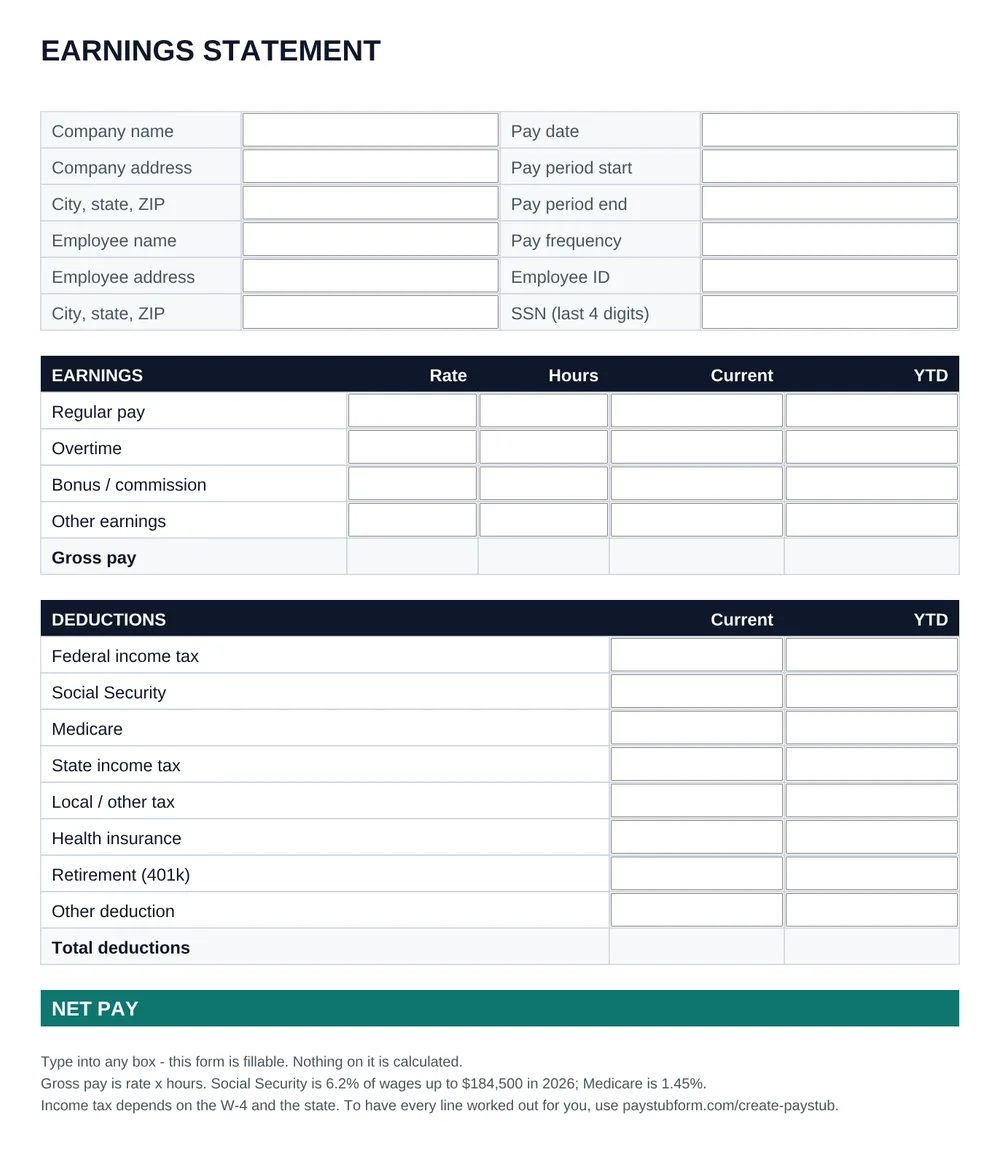
Every box on this one-page form is a text field, so you can fill it in without any software beyond the PDF reader you already have. The layout can't be shifted by accident, which makes it the simplest of the three to print.
Download the PDF templateFillable PDF · 45 KB · No sign-upRather not do the math? The pay stub generator calculates every line, income tax included.
What the PDF template includes
- Twelve boxes for company, employee and pay period details
- Earnings with rate, hours, current and year-to-date boxes on four lines, plus gross pay
- Eight deduction lines with current and year-to-date boxes, plus total deductions
- Net pay for the period and for the year
- Letter size, with margins that print on any home or office printer
Fill it in, in three steps
- 1
Download and open the PDF
Open it in Adobe Acrobat Reader, Chrome, Edge or Preview. All of them can fill in form fields.
- 2
Type into the boxes
Click a box and type, and press Tab to move to the next one. The form doesn't calculate, so work out each amount first.
- 3
Save or print
Save a copy to keep the figures, or print it. To print a blank one to fill in by hand, print before typing anything.
What this template leaves to you
- Nothing is calculated: gross pay, every tax, the totals and net pay are typed in by hand.
- The line labels are fixed — to rename a deduction or add a row, use the Word or Excel template instead.
- Year-to-date figures have to be added up from the earlier stubs each time.
Get the tax figures from the free paycheck calculator, check what your state requires on a stub in the state pay stub requirements, or skip the arithmetic and create the pay stub online.
PDF pay stub template questions
Is the PDF pay stub template fillable?
Yes. Each box is a form field you can type into in Adobe Acrobat Reader, Chrome, Edge, Firefox or Preview on a Mac. Save a copy afterwards to keep what you typed.
Can I print the blank pay stub and fill it in by hand?
Yes. Print it before typing anything and you get an empty letter-size form with every label and box in place.
Does the PDF add up the totals?
No. The PDF is a plain form with no calculations. For a template that works out gross pay, Social Security, Medicare and net pay, use the Excel version; to have income tax calculated too, use the pay stub generator.
How do I work out the income tax lines?
Federal income tax withholding comes from the employee's Form W-4 and the IRS tables in Publication 15-T, and state withholding from the state's own formula, so neither is a flat percentage. Our free paycheck calculator gives both figures for any state, and the pay stub generator fills them in for you.
Is it legal to make a pay stub from a template?
Yes — an employer or a self-employed person can prepare their own pay stubs, and a template is one way to do it. What matters is that the figures are true. Putting false wages or deductions on a pay stub to mislead a lender, landlord or agency is fraud.