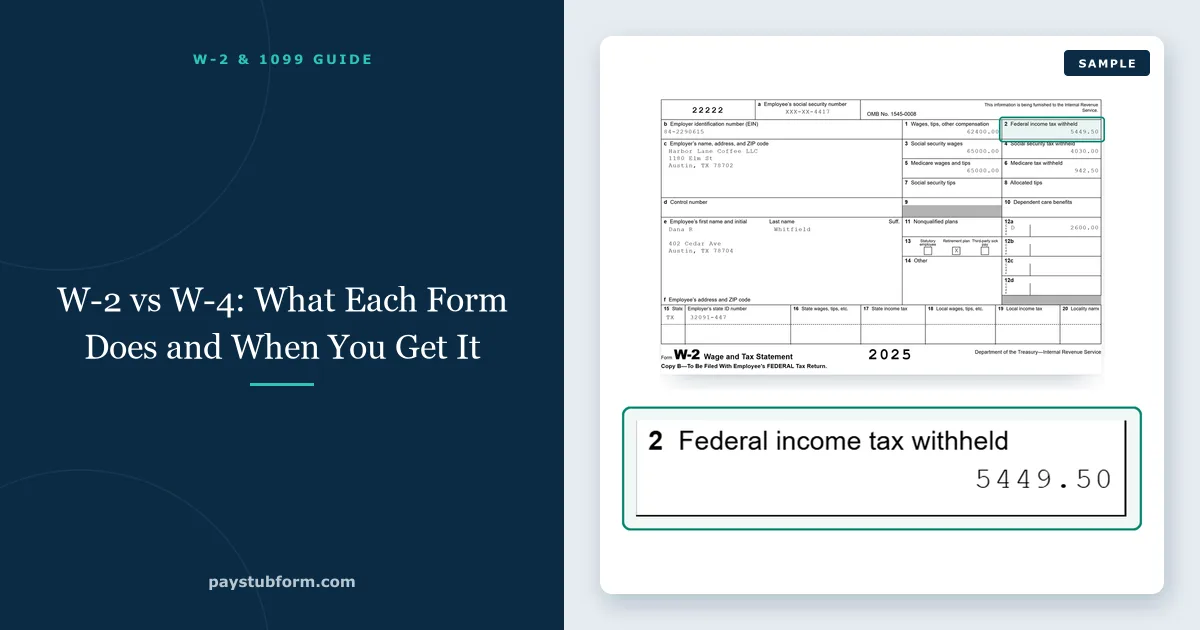
A W-4 is the form you fill out and give your employer; a W-2 is the form your employer fills out and gives you. The W-4 tells payroll how much federal income tax to take out of each paycheck going forward, and the W-2 reports, after the year ends, what you actually earned and what was actually taken out.
They are two ends of the same process. The choices you make on the W-4 in January show up on every pay stub during the year, and the sum of those pay stubs is what appears on the W-2 the following January. Understanding how they connect is the quickest way to stop being surprised at tax time.
Quick take: W-4 = your instructions to payroll, filled out by you, kept by your employer, changeable any time. W-2 = your employer's year-end report, filled out by them, sent to you and the government, due by February 1, 2027 for 2026 wages. Change your W-4 and next year's W-2 changes with it.
1. W-2 vs W-4 side by side
| Form W-4 | Form W-2 | |
|---|---|---|
| Full name | Employee's Withholding Certificate | Wage and Tax Statement |
| Who fills it out | You, the employee | Your employer |
| Who receives it | Your employer (it normally stays in their files) | You, the Social Security Administration, and your state |
| When | When you start a job, and whenever you want to change withholding | Once a year, after the year ends |
| What it does | Sets how much federal income tax comes out of each paycheck | Reports your wages and the taxes withheld for the whole year |
| Looks | Forward — at paychecks you have not received yet | Back — at the year that just ended |
| Do you need it to file? | No | Yes, it is the main input to your tax return |
| If it is wrong | Submit a new one; there is no penalty for updating | Employer issues a corrected W-2c |
A simple way to remember it: the 4 comes first because you fill it out first. The 2 arrives at the end, like a receipt.
2. How the W-4 becomes your W-2
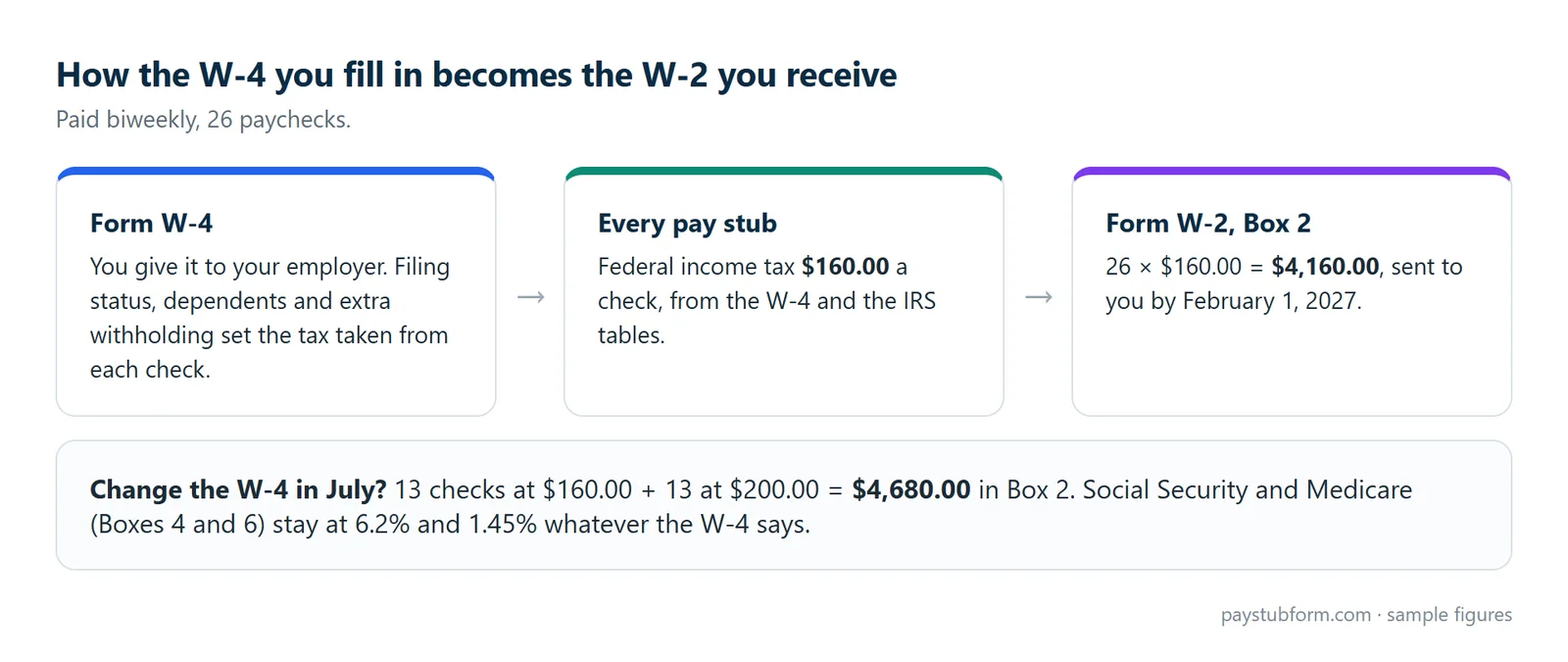
Every payday, payroll takes your gross pay and the answers on your W-4 and runs them through the IRS withholding tables. The result is the federal income tax line on your pay stub — usually labelled "Fed Inc Tax", "FIT" or "Federal Withholding". At year-end, your employer adds up every one of those lines and the total goes into Box 2 of your W-2.
Example: you are paid biweekly and every stub shows $160.00 of federal income tax. Twenty-six paychecks later, Box 2 of your W-2 shows $4,160.00. If you file a new W-4 in July that raises withholding to $200.00 for the last 13 paychecks, Box 2 becomes $4,680.00. Your year-to-date column tracks this running total all year, so your final stub of December should already match it closely — our guide to comparing your W-2 to your final pay stub shows where small differences come from.
What the W-4 does not touch is just as important. Social Security and Medicare (Boxes 4 and 6 on the W-2) are flat percentages — 6.2% and 1.45% — and no W-4 answer changes them. If you want to understand those lines, see what OASDI tax is.
3. What is on the W-4 in 2026
The current W-4 has five steps. Only Steps 1 and 5 are required; the rest are there to make withholding more accurate.
- Step 1 — Personal information and filing status. Single, married filing jointly, or head of household.
- Step 2 — Multiple jobs or a working spouse. Without it, each job withholds as if it were your only income, which usually under-withholds.
- Step 3 — Dependents. For 2026 it is split into two lines: $2,200 for each qualifying child under 17 and $500 for other dependents.
- Step 4 — Other adjustments. 4(a) other income, 4(b) deductions, 4(c) extra withholding per paycheck.
- Step 5 — Signature.
The big change for 2026 is the Step 4(b) deductions worksheet. It now has its own page and lines for the new deductions from the 2025 tax law: qualified tips, qualified overtime pay, interest on a qualifying new car loan, and the extra deduction for people 65 and older. If you earn tips or overtime and leave it blank, payroll withholds as if you will take only the standard deduction — usually more than you need. The 2026 form also adds a checkbox for claiming exemption instead of writing "Exempt" by hand. Our guide on how a W-4 change shows up on your paycheck walks through each step's effect.
The IRS released a draft of the 2027 W-4 in July 2026 with the same layout and placeholder amounts, so the form you fill out next year will look familiar.
4. What is on the W-2
The W-2 is a summary of the year's payroll. The boxes most people need:
- Box 1 — wages subject to federal income tax (after pre-tax 401(k) and health premiums).
- Box 2 — federal income tax withheld: the sum of your W-4-driven withholding.
- Boxes 3 and 4 — Social Security wages and tax.
- Boxes 5 and 6 — Medicare wages and tax.
- Box 12 — coded amounts such as 401(k) deferrals (D), health coverage cost (DD), and the new TT, TP and TA codes. See every Box 12 code explained.
- Boxes 15–17 — state wages and state income tax withheld.
Why Box 1, Box 3 and Box 5 are usually three different numbers is its own topic — our W-2 Boxes 1, 3 and 5 guide covers it.
5. When you deal with each form
- Starting a job: you complete a W-4 (and an I-9, which is about work eligibility, not tax). No W-4 at all means your employer must withhold as if you were single (or married filing separately) with no adjustments.
- Any time during the year: you can file a new W-4. Your employer has to put it into effect no later than the start of the first payroll period ending on or after the 30th day after you hand it in.
- February 15: if you claimed exemption from withholding, that claim expires — you must submit a new W-4 by mid-February each year to keep it.
- February 1, 2027: the deadline for employers to send 2026 W-2s (January 31 falls on a Sunday). Our guide on when W-2s come out in 2027 covers what to do if yours is late.
6. When to change your W-4
Your W-2 is the best feedback you will get on your W-4. If you owed a large amount when you filed, or got a much bigger refund than you expected, your W-4 was off. Life events are the other trigger:
- Marriage, divorce, or a new child.
- A second job, or a spouse starting or stopping work.
- Regular overtime, tips or bonuses that change your total income.
- Side income with no withholding, which you can cover with extra withholding in Step 4(c) instead of estimated payments.
The IRS Tax Withholding Estimator works out the numbers from your latest pay stub. Before you use it, check that your stub's year-to-date figures are correct — a paycheck calculator is a fast way to see what each pay period should look like.
7. State forms and the other "W" forms
The W-4 only covers federal income tax. Many states use their own withholding form — California's DE 4, New York's IT-2104, Illinois's IL-W-4 — and some accept the federal W-4. States without an income tax, such as Texas, have no state form at all. State withholding still ends up on the W-2, in Boxes 15–17.
Two other forms are often mixed up with these:
- W-9 is the contractor's version of "here is my tax ID". You give it to a client, nothing is withheld, and instead of a W-2 you may get a 1099-NEC at year-end.
- W-3 is the employer's cover sheet that totals all of its W-2s for the Social Security Administration. Employees never see it.
8. If you are the employer
Keep each employee's W-4 on file for at least four years after the tax it affects is due or paid, and only send it to the IRS if the IRS asks for it. Use the W-4s to calculate withholding on every payroll, then report the year on W-2s by the deadline. Small employers with a handful of employees can prepare those with our W-2 form generator, and keep matching pay stubs through the year with the pay stub generator.
The five-minute version
- W-4 = you tell your employer how much federal tax to withhold. W-2 = your employer tells you, and the government, what it withheld.
- W-4 changes affect only federal income tax: the "Fed Inc Tax" line on your stub and Box 2 on your W-2.
- Social Security and Medicare are fixed rates no W-4 changes.
- New tips, overtime or car-loan deductions for 2026 only lower withholding if you enter them in Step 4(b).
- Use this year's W-2 and refund result to decide whether next year's W-4 needs a change.
Quick answers
Is a W-4 the same as a W-2?
No. You fill out the W-4 for your employer to set withholding. Your employer fills out the W-2 for you after the year ends to report wages and taxes withheld.
Do I need my W-4 to file my taxes?
No. You file with your W-2. The W-4 stays with your employer and is never attached to your return.
Do I fill out a new W-4 every year?
Not unless you want to change your withholding. An existing W-4 stays in effect from year to year. The exception is a claim of exemption, which must be renewed by February 15 each year.
Can a W-4 change my W-2?
Yes, but only the federal income tax figure in Box 2, and only for paychecks after the change takes effect. It does not change your wages or your Social Security and Medicare tax.
What happens if I never turned in a W-4?
Your employer withholds federal income tax as if you were single or married filing separately with no adjustments, which is often more than you need. Submit a W-4 to fix it.
Is a W-2 employee different from a W-4 employee?
People say "W-2 employee" to mean someone on payroll, as opposed to a 1099 contractor. There is no "W-4 employee" — every W-2 employee fills out a W-4.
Sources
- IRS — About Form W-4, Employee's Withholding Certificate: the current form and instructions.
- IRS — About Form W-2, Wage and Tax Statement: what the W-2 reports and who receives copies.
- IRS Topic no. 753 — Form W-4: no-W-4 default withholding, the 30-day effective date, exemption renewal and record-keeping.
- IRS Publication 15 — Employer's Tax Guide: employer duties for Forms W-4 and W-2.
- PayrollOrg — IRS releases 2026 Forms W-4 and W-4P: the new Step 4(b) worksheet, split Step 3 and exemption checkbox.
- Bloomberg Tax — IRS releases 2027 Form W-4 draft: the July 2026 draft without substantive changes.
General U.S. information, current for the 2026 tax year. Individual results depend on your pay, your W-4 answers and applicable state or local rules; for advice on your own situation, speak to a tax professional.


Comments (0)
Loading comments...
Leave a Comment