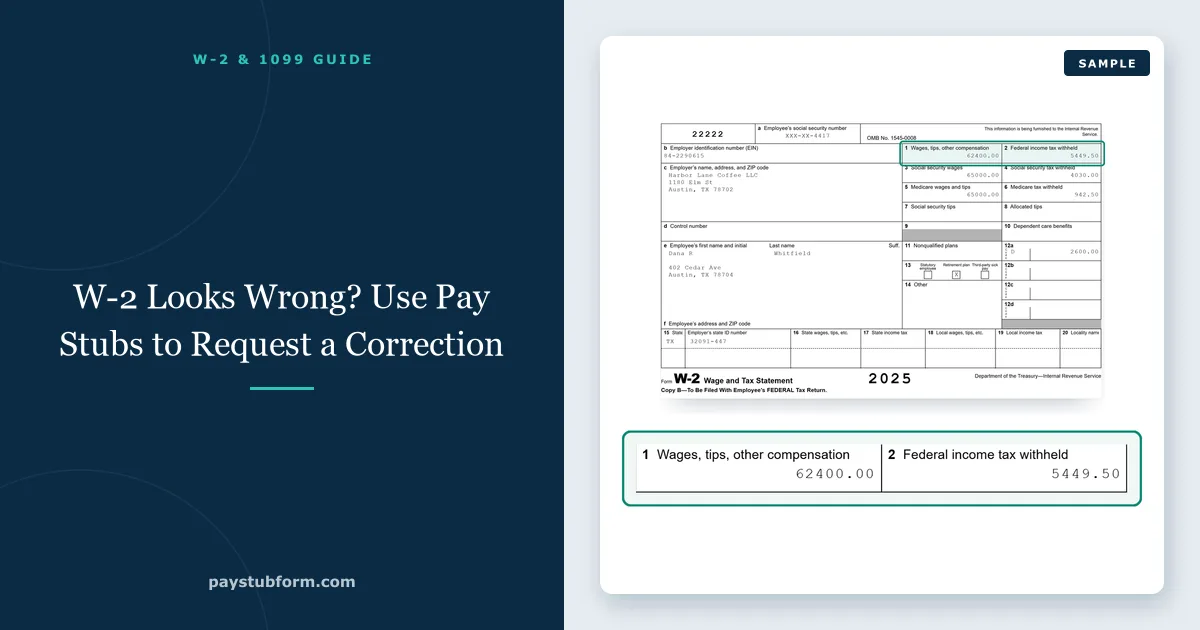
Most W-2s that look wrong are right. The number in Box 1 is lower than your salary, Box 3 does not match Box 1, or the total differs from what you remember earning — and in most cases there is a clear explanation in your pay stubs. Sometimes, though, the W-2 really is wrong, and the stubs are the evidence that gets it fixed quickly.
This guide shows how to check a W-2 against your final pay stub, which differences are normal, and how to request a correction when one is not.
Quick take: Compare your W-2 with your final pay stub of the year, box by box. Box 1 should match federal taxable wages year-to-date, not gross pay. If a box is still wrong after that comparison, ask your employer for a Form W-2c — and do not file with a W-2 you know is incorrect.
1. Gather the right records
You need four things:
- The W-2 itself.
- Your final pay stub of the calendar year — the last one with a pay date in December, not the last one for work done in December.
- Any off-cycle checks: a bonus, a correction, a final paycheck after leaving.
- Your first stub of the following January, if it covers December work.
The pay date matters because wages are reported in the year you are paid, not the year you worked. Work done in the last week of December and paid on 2 January belongs on next year's W-2. That single rule explains a large share of apparent mismatches. Our guide to pay period versus pay date walks through it.
2. Match the W-2 boxes to the stub
Each of the main W-2 boxes has a matching year-to-date figure on a well-built pay stub:
| W-2 box | What it reports | Compare with on the final stub |
|---|---|---|
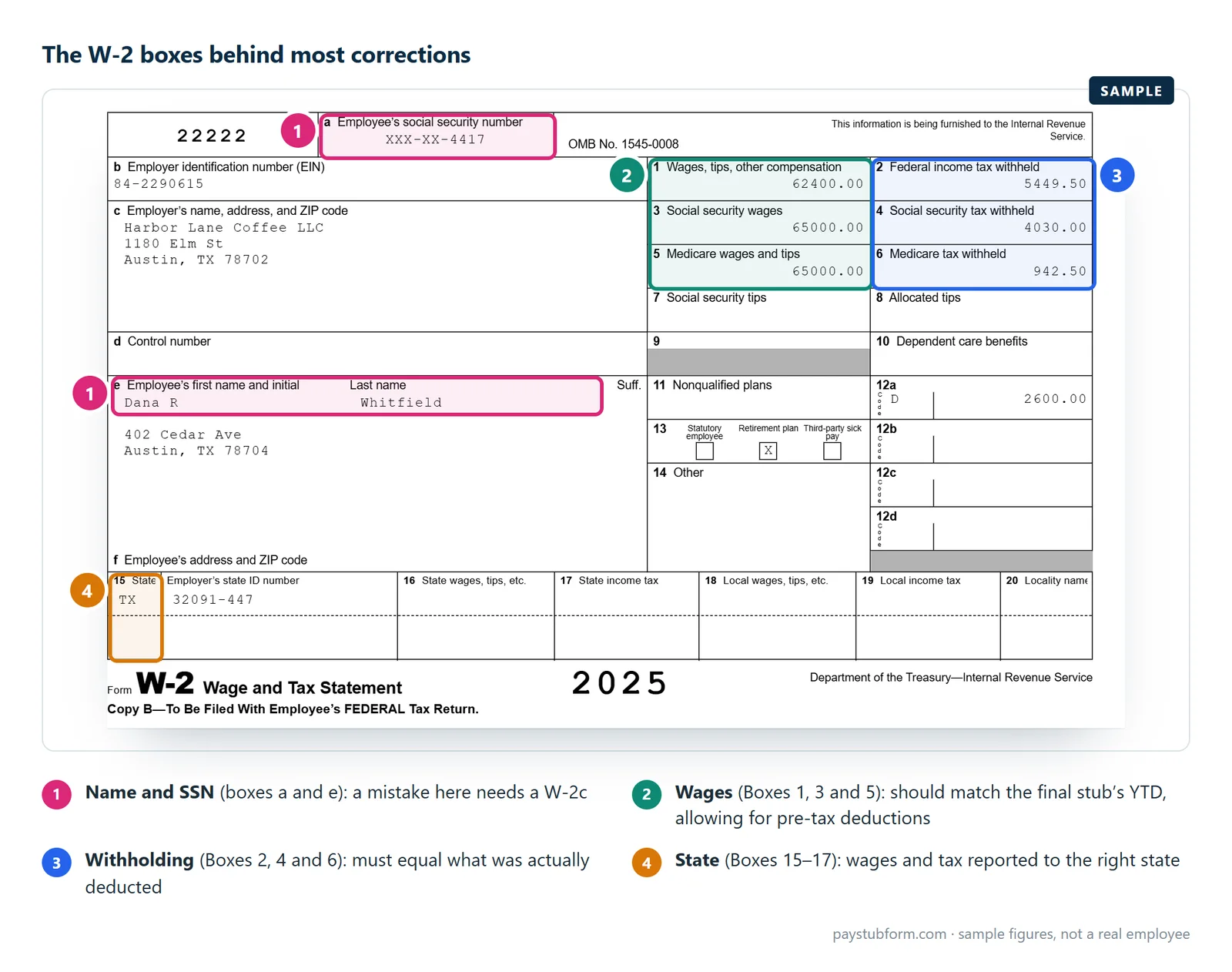
| Box 1 | Federal taxable wages | Federal taxable wages YTD (gross minus pre-tax deductions) |
| Box 2 | Federal income tax withheld | Federal income tax YTD |
| Box 3 | Social Security wages, capped at $184,500 for 2026 | Social Security wages YTD |
| Box 4 | Social Security tax (6.2%) | Social Security tax YTD |
| Box 5 | Medicare wages, no cap | Medicare wages YTD |
| Box 6 | Medicare tax (1.45%, plus 0.9% above $200,000) | Medicare tax YTD |
| Boxes 16–19 | State and local wages and tax | State and local YTD lines |
If your stub does not show taxable wages separately, start from gross pay YTD and subtract the pre-tax deductions. Our guide to why Boxes 1, 3 and 5 differ works through a full example, and W-2 versus final pay stub covers the comparison in more depth.
3. Differences that are usually normal
Most gaps between a W-2 and a pay stub are not errors. Pre-tax deductions, the $184,500 Social Security cap, taxable fringe benefits such as group-term life insurance over $50,000, and wages paid in a different calendar year all move the boxes legitimately. Our guide to why a W-2 and your final pay stub differ walks through each one — rule them out before asking for a correction. Code DD in Box 12 is information only: it is the cost of your health coverage, not extra taxable pay.
Tip: A difference between the W-2 and your own estimate is not proof of an error. A difference between the W-2 and your final pay stub's matching YTD figure is a strong sign of one.
4. Errors worth correcting
These are real problems that need a Form W-2c:
- Your name or Social Security number is wrong.
- A box does not match the matching YTD figure on the final stub, and payroll cannot point to a fringe benefit or timing difference that explains it.
- An off-cycle payment — a bonus or correction check — is missing, or appears twice.
- Withholding in Box 2, 4 or 6 does not match what was actually deducted from your pay.
- State wages or tax are reported to the wrong state.
5. How to request a correction
- Write it down precisely. Name the box, the amount shown, the amount you expected and the stub figure that supports it.
- Contact payroll or HR in writing. Use the employer's secure portal or a method they approve. Never send your full Social Security number in an ordinary email.
- Ask for a Form W-2c. The employer issues the corrected statement to you and files it with the Social Security Administration.
- If the employer does not respond, contact the IRS. If you have not received a correct W-2 by the end of February, the IRS can contact the employer on your behalf.
- If the filing deadline is close, you can file using Form 4852, a substitute for the W-2, with your best figures from your final pay stub.
If you have already filed your return and the W-2c changes your wages or withholding, you may need to file Form 1040-X, the amended return. Speak with a tax professional if the change is significant.
6. Keep every version
Keep the original W-2, the W-2c, the final pay stub and your correspondence with payroll together. If the IRS later sends a notice about a wage mismatch, those four documents are usually the complete answer. Our guide to year-to-date figures explains why the final stub is the single most useful record of the year.
The five-minute version
- Find the final stub with a December pay date.
- Match Boxes 1 to 6 against the YTD taxable wages and tax lines.
- Rule out pre-tax deductions, the Social Security cap, fringe benefits and year-end timing.
- If a gap remains, write down the box, both amounts and the supporting stub.
- Ask payroll for a Form W-2c through a secure channel.
- Unresolved by the end of February? Contact the IRS, or file with Form 4852.
If you are self-employed or run a small payroll yourself, you can create accurate pay stubs with year-to-date figures that reconcile cleanly to the W-2.
Quick answers
Why is Box 1 on my W-2 lower than my salary?
Because Box 1 is federal taxable wages: gross pay minus pre-tax deductions such as traditional 401(k) contributions and health premiums. It should match the taxable wages YTD on your final pay stub, not your gross.
What form is used to correct a W-2?
Form W-2c, the Corrected Wage and Tax Statement. Your employer issues it to you and files it with the Social Security Administration. You cannot correct a W-2 yourself.
What if my employer won't fix my W-2?
Contact the IRS after the end of February. The IRS can contact the employer for you. If the deadline is near, you can file with Form 4852 using figures from your final pay stub.
I already filed my taxes. What happens if I get a W-2c?
If the corrected figures change your wages or withholding, you may need to file Form 1040-X to amend your return.
My December paycheck isn't on my W-2. Is that an error?
Not if it was paid in January. Wages are reported in the year they are paid, so a check with a January pay date belongs on the next year's W-2.
I had two jobs and paid too much Social Security. Do I need a W-2c?
No. Each employer withholds correctly on its own wages. If your combined Social Security wages passed $184,500, you claim the excess as a credit on your return.
Sources
- IRS — If You Don't Get a W-2 or Your W-2 Is Wrong: when and how to contact the IRS, and filing with Form 4852.
- IRS — 2026 General Instructions for Forms W-2 and W-3: what each box reports and the Box 12 codes.
- IRS — About Form W-2c, Corrected Wage and Tax Statement: the employer's correction form.
- IRS — About Form 1040-X: amending a return after a W-2 correction.
- Social Security Administration — Contribution and Benefit Base: the $184,500 wage base for 2026.
General U.S. information, current for 2026. Individual results depend on your pay, benefit elections and state rules.


Comments (0)
Loading comments...
Leave a Comment